
TalosPlaygroundTechnologyResults
Discover La Forge
TITAN-LINK × Shopify PlusAvailable

Complementary recommendations in Shopify checkout

One final add-on without leaving the payment page.

TITAN-LINK uses the live cart contents to display complementary products under the order total. The buyer can add an item without interrupting payment.

01

Cart-based

Complements depend on the items actually present in the order.

02

Add from checkout

The Add button keeps the buyer inside the payment journey.

03

Clear, limited settings

The merchant sets the title and displays between one and four products.

The checkout block is deployed in Shopify

It uses the same TITAN-LINK complementarity relationships as the theme blocks.

The “Titane Checkout Recommendations” block is available in the checkout editor.
Product-to-product pairings are already computed.
The block follows the live cart contents.
Every recommendation includes an Add button.

Add the block under the order total

Activation happens inside Shopify’s checkout editor.

Please noteThis use case requires Shopify Plus: the checkout editor is not available on other plans.
01In Shopify: Settings → Checkout → Customize.
02In the order summary, choose Add block under Total.
03Select “Titane Checkout Recommendations”.
04Set the title and the number of recommendations, from 1 to 4.
05Save: every buyer will see the complements of their cart.

The block sits directly under the total

The recommendation remains visible while the buyer reviews the order, without sending them to another page.
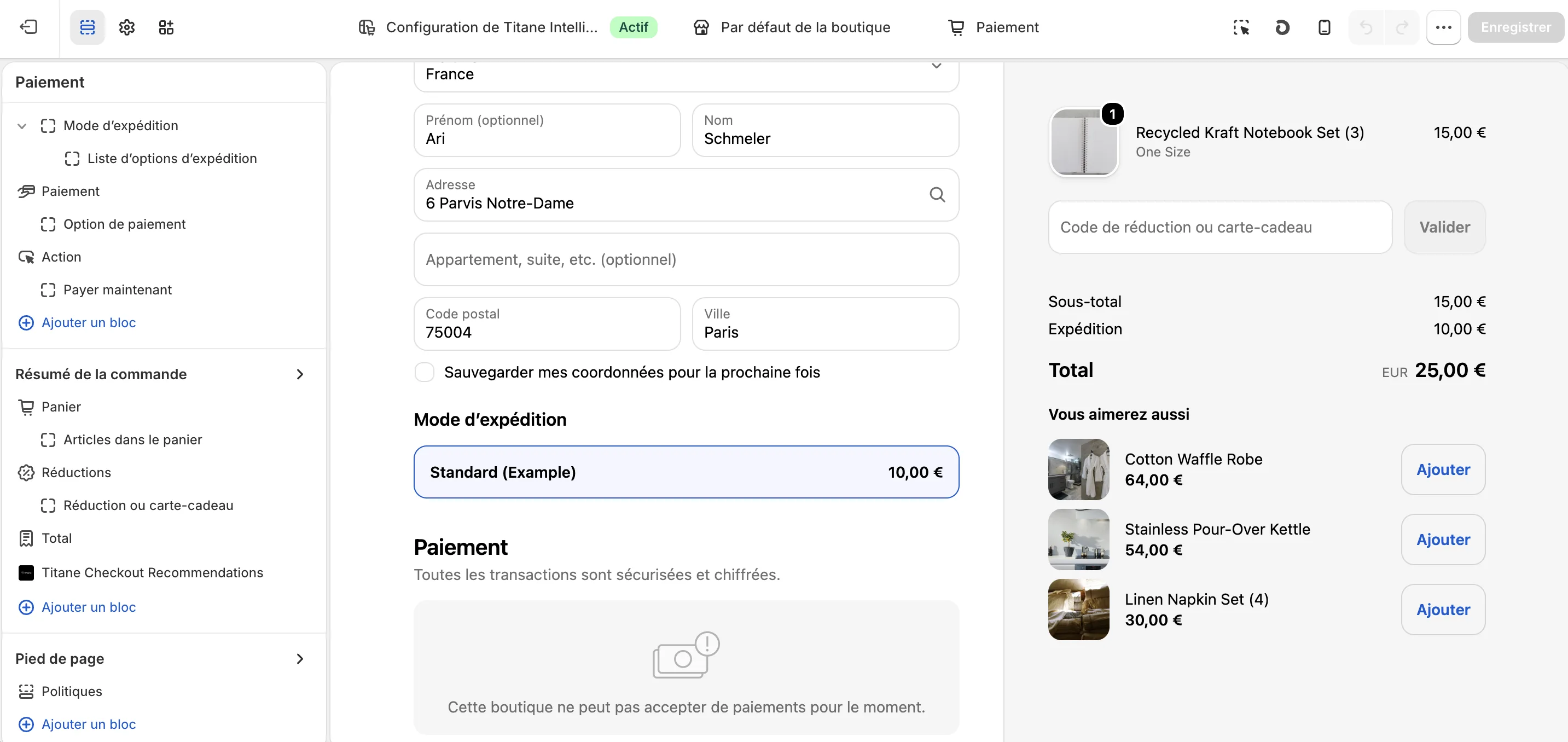
Titane Checkout Recommendations block inside Shopify checkout
The block under the totalThe result is previewed on the right, with an Add button for every complement.

A heading and up to four recommendations

The merchant controls block density; TITAN-LINK picks the products from the cart.
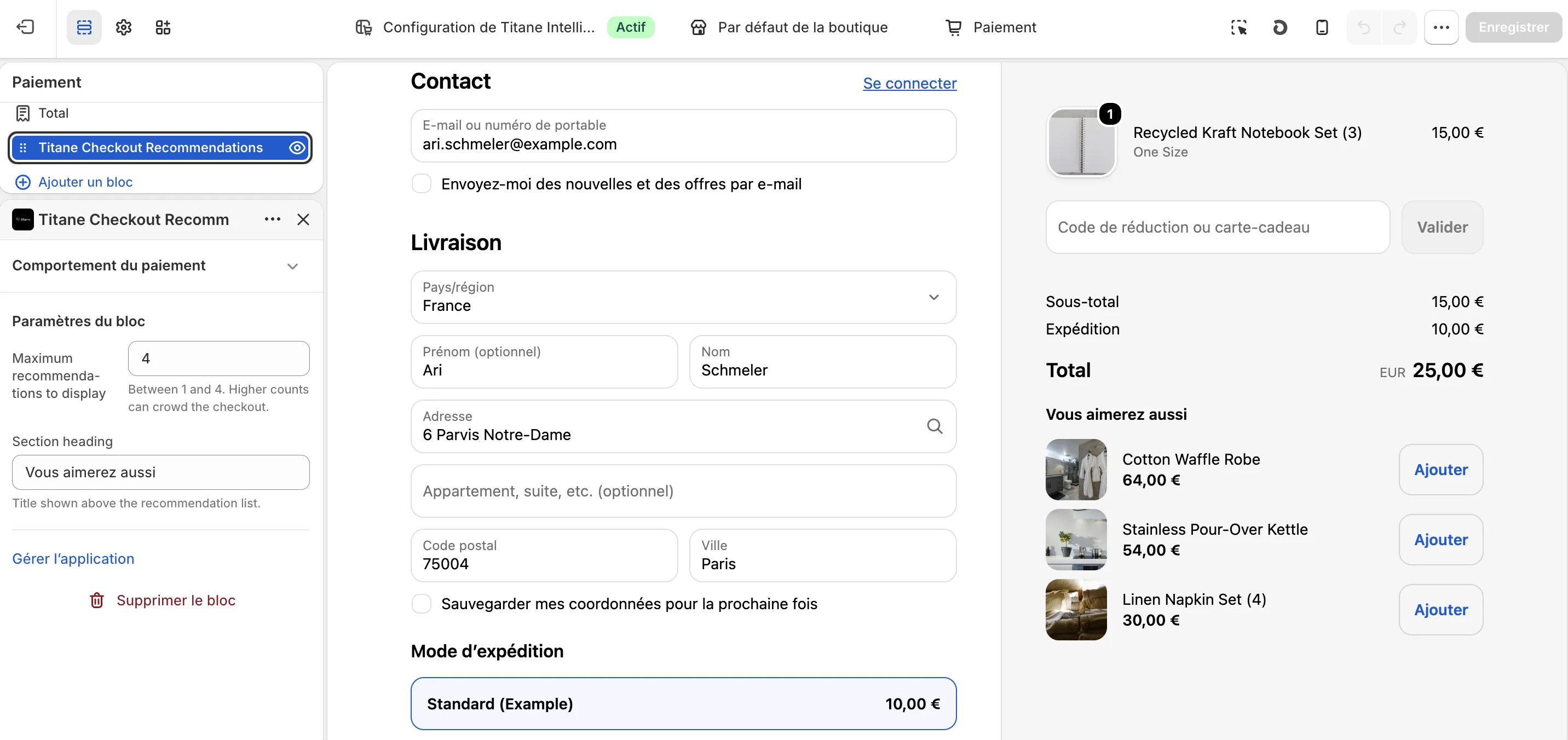
Shopify checkout recommendation block settings
Block settingsThe recommendation count is deliberately limited to preserve checkout readability.
Available on Shopify Plus

Extend Titane cross-sell into checkout.

Install the app or request a demonstration of this journey on your store.