
TalosPlaygroundTechnologyResults
Discover La Forge
TITAN-LINK × ShopifyAvailable

Complementary products on Shopify

The right add-on on the product page and in the cart.

TITAN-LINK computes product complementarity relationships across the catalog. Its Shopify blocks surface relevant pairings on product pages and in the cart, without confusing complements with merely similar alternatives.

01

Product → product complementarity

TITAN-LINK keeps complementary products separate from similar products.

02

Two touchpoints

Recommendations appear on the product page and inside the cart.

03

Native Shopify blocks

Placement, wording and product count are set in the theme editor.

The cross-sell blocks are already available

La Forge supplies the components and pairings needed for activation in Shopify.

Product Reco and Cart Reco are available in the theme editor.
Product-to-product relationships are computed across the eligible catalog.
The cart block adapts its complements to the live cart contents.
No theme change or manual product list is required.

Place complements at the most useful moments

The same workflow covers the cart first, then the product page.

01In Shopify: Online Store → Themes → Customize, then open the Cart template.
02Under Apps, choose Add block, then “Titane - Cart Reco”.
03Place the block below the cart summary, set its title and product count, then save.
04Repeat on the product template with “Titane - Product Reco”.

Two blocks, one workflow

Product Reco and Cart Reco appear in the app block picker alongside the other theme components.
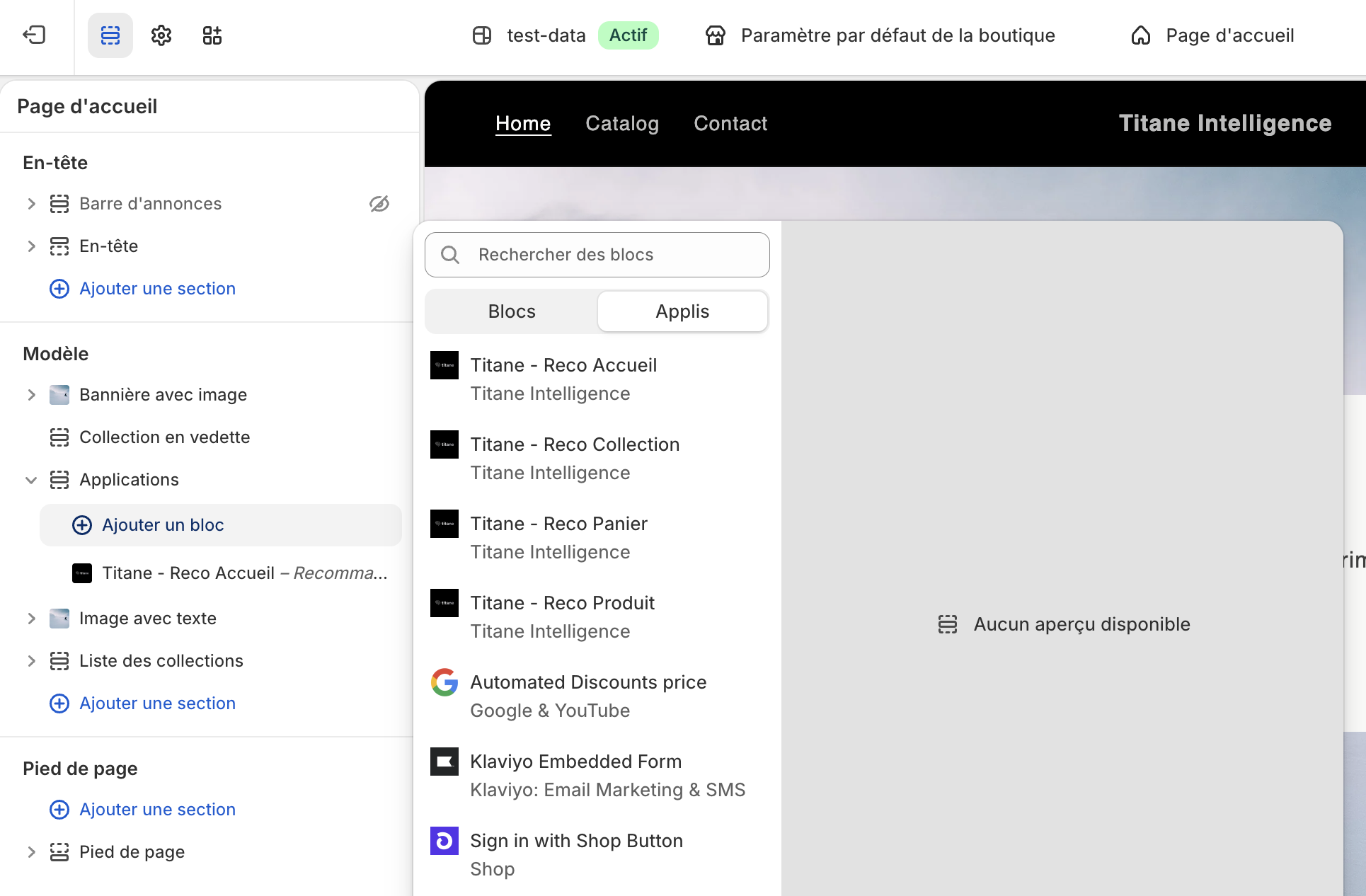
Titane Product Reco and Cart Reco blocks in Shopify
The blocks already availableThey are placed with drag and drop and retain the store design.

The right complements under the product

The recommendation starts from the product being viewed and surfaces what is used or purchased with it.
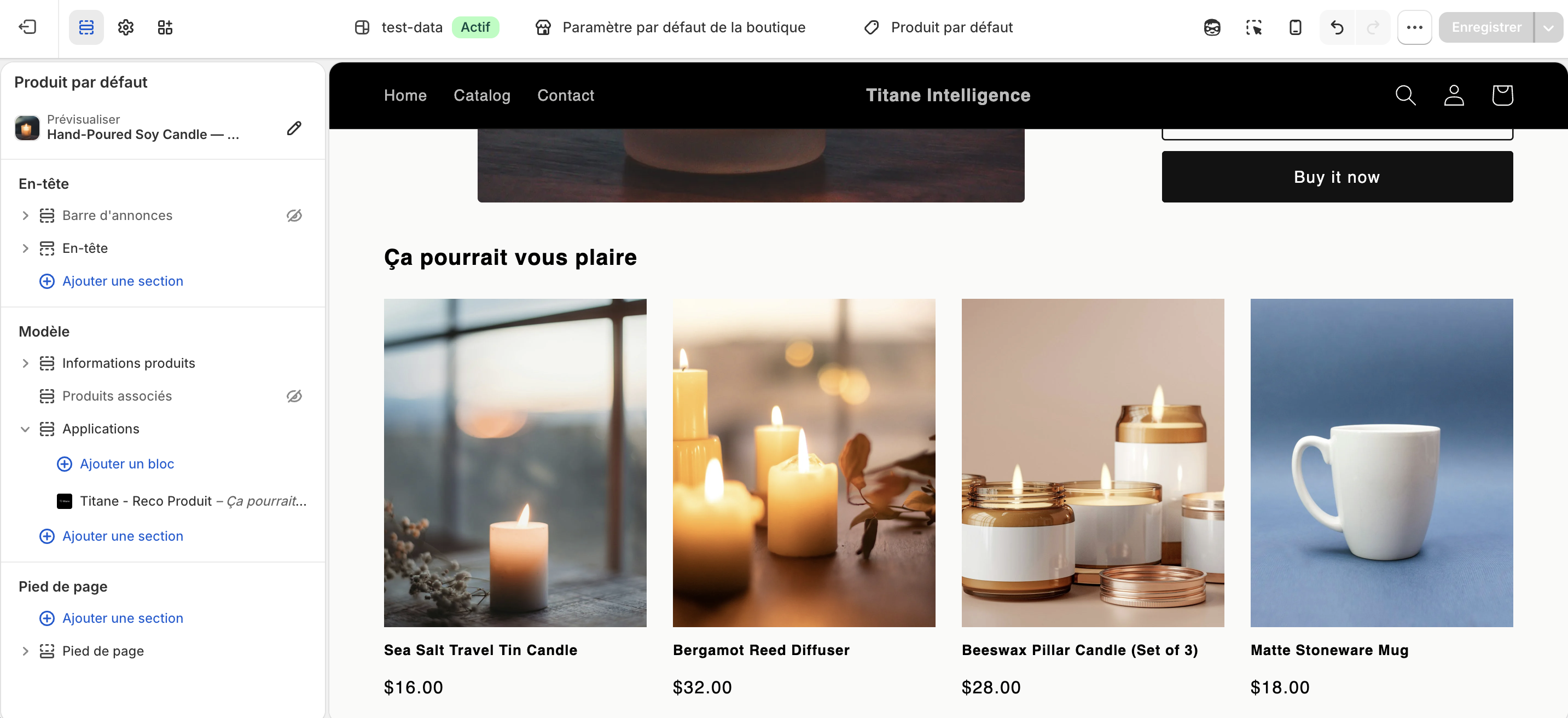
Titane complementary products on a Shopify product page
The block on a product pageTITAN-LINK supplies the pairings, which change with the product being viewed.

Cross-sell adapts to the live cart

At the hottest point of the journey, the selection accounts for the items the customer is about to order.
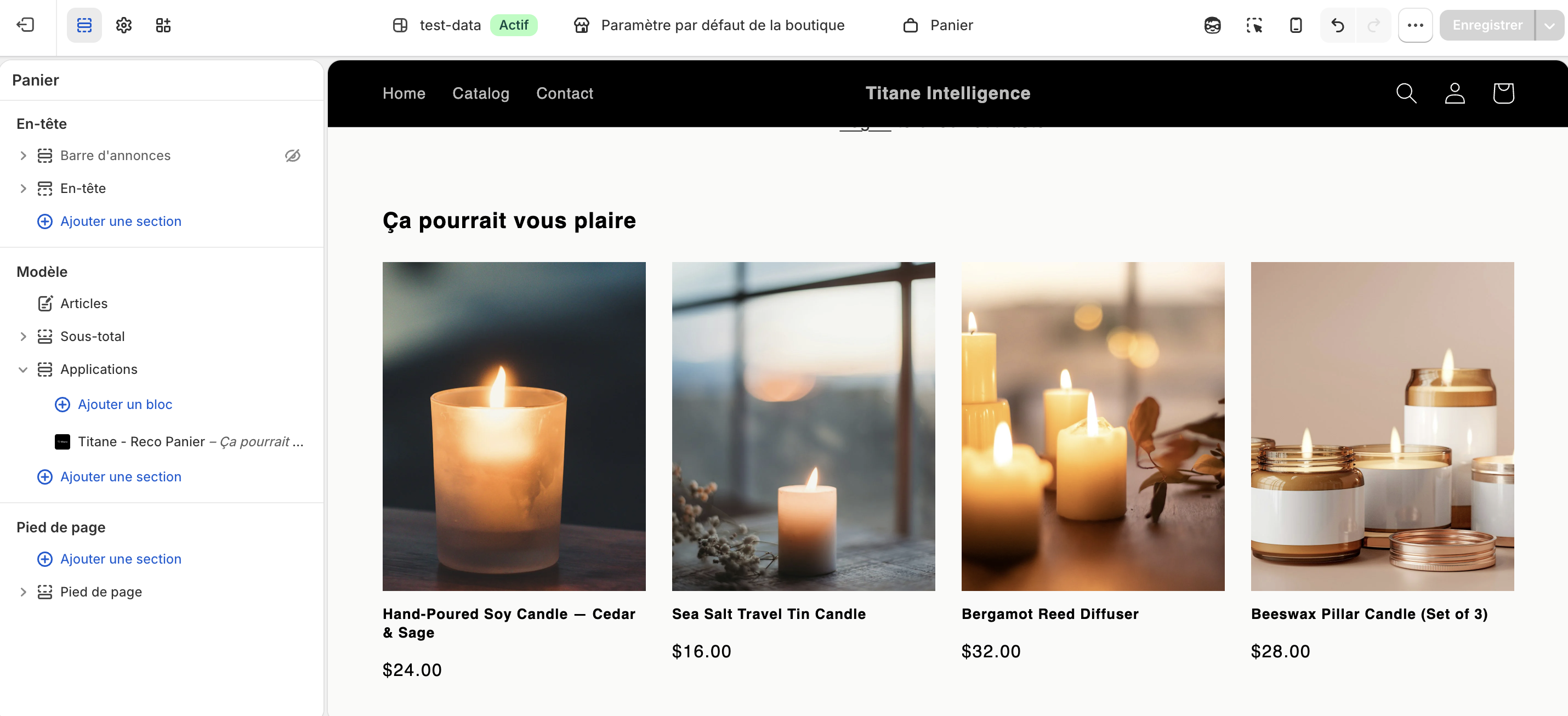
Titane complementary products inside a Shopify cart
The block inside the cartSuggested complements evolve with the order being prepared.
Ready-to-deploy use case

Add Titane cross-sell to your theme.

Install the Shopify app or request a demonstration on your catalog.